Directing AI systems with intent and judging their output critically — knowing when a result is strong, when it is generic, and when to push back — instead of accepting whatever a prompt returns.
Teaching / classroom reference
A working classroom layer for the ij8 studio.
For educators evaluating ij8 as a place to teach: its stance on AI in the classroom, how a course is authored, how students learn by making, how an AI tutor coaches and a grader assesses the process — and the learning research it rests on.
00
Premise
ij8 is a creative studio with a classroom built into the same making surface. It teaches AI literacy, computational thinking, design, and creative innovation by having students make real work — self-paced, with the instructor authoring the constraints and watching every step. Its stance on AI is a middle way: neither banning it nor handing it the work, but teaching students to direct and judge it. This page describes the teaching layer; the catalogue of creative tools lives at tooling.ij8.ai.
01
A middle way
The hardest question in education right now is what to do about AI. ij8's answer is a deliberate middle path: students use AI in the open, are coached while they work, and are assessed on their thinking — so they build skill with AI rather than dependence on it.
Two responses dominate, and both fail students. Banning AI pretends away the tools that now sit under most professional practice and leaves graduates unprepared for the work they will actually do. Handing the work to AI produces output without understanding and erodes the judgment school exists to build. ij8 takes the path between them: AI is a collaborator the student directs, critiques, and learns from. The partnership cuts both ways: the student is never replaced by the AI, and never asked to work like a machine. The student brings the vision, the taste, and the questions; the AI brings the speed and the hands — and the work that results is more human, more expressive, and more the student's own, not less. That one choice is why the grader weighs process and understanding over polish, why the tutor coaches instead of completing, why instructors set the constraints and see every attempt, and why the finished artifact is always the student's own.
Decomposition, abstraction, and systematic problem-solving, practiced through real code in p5.js, three.js, and GLSL and through generative pipelines — not described in the abstract.
Intentional choices about audience, form, and constraint, and the discipline of iterating toward them rather than settling for the first result.
Making something specific and new — the opposite of generic AI output — and being able to say why it is theirs.
The model is self-paced but never unsupervised. Students move at their own pace: the mastery bar is a visible goal the rubric reports toward, not a lock, and students advance when they are ready. The instructor authors every constraint, sees every attempt and score, and curates what is shared: autonomy for the student, visibility and control for the teacher.
This stance is not a slogan on a slide; it is written into the AI itself. The tutor's standing instructions name the learner as the creator and director and the AI as their implementer and thinking partner, tell it to pull students in to inspect and redirect what was made rather than spectate, and to treat its own imperfection as a normal, workable fact — never pretending output is flawless, never treating a wobble as a crisis. Directing, judging, and revising the AI's work is the skill being taught, and the voice of the platform is built to practice it.
02
Teaching model
The pedagogy is not a layer of slogans; it is built into how a lesson behaves. Each principle below maps a long-standing idea in learning research onto something the student and teacher actually do.
Every lesson is a making session. Students produce an image, animation, 3D form, sketch, app, sound, or piece of writing — not a multiple-choice answer. This is constructionism: Papert's argument that durable understanding comes from building something shareable, brought into a contemporary studio.
The score weighs how the work was made — iteration, refinement, intentional choices, and the student's own explanation — alongside the finished piece. This is assessment for learning in Black and Wiliam's sense: feedback on the process, not a single terminal mark.
A lesson sets what students may make, an optional starting point, a time limit, learning goals, and a mastery bar. The constraint is the assignment. A well-chosen boundary is an engine of creative work, not a limit on it — the design-studio brief, formalized.
An AI tutor works alongside the student, with hints the instructor writes as soft nudges or hard requirements. This is scaffolding inside Vygotsky's zone of proximal development, and it puts within reach the one-to-one coaching Bloom found moves outcomes far beyond whole-class instruction.
Authoring, class rosters, publishing, grading visibility, and showcase curation are explicit teacher decisions, not hidden automation. The tutor coaches; the teacher decides the goals, the mastery bar, and what counts.
App Lab turns a vague idea into named stages and shows the conceptual parts of a program before any code is written. Making hidden structure visible lowers needless cognitive load and supports reflective practice — the same reason Processing's tabs and Photoshop's layers help novices see separation of concerns.
Grounding: Papert, Mindstorms (1980); Vygotsky, Mind in Society (1978); Wood, Bruner & Ross on scaffolding (1976); Bloom, the two-sigma problem (1984) and mastery learning (1968); Black & Wiliam, Inside the Black Box (1998); Collins, Brown & Newman on cognitive apprenticeship (1989); Sweller on cognitive load (1988); Schön, The Reflective Practitioner (1983); Stokes, Creativity from Constraint (2006); Lave & Wenger, Situated Learning (1991).
03
Course authoring
A teacher can stand up a course in one sitting: bring a syllabus or a one-line description, let the system draft a lesson sequence, then review and shape every lesson before students ever see it.
- Start from a syllabus
Upload an existing syllabus as a PDF, Word (.docx), Markdown, or plain-text file and the studio reads it into the authoring flow, so a course can begin from materials a teacher already has rather than a blank page.
- AI-drafted lessons
From the course topic, a target number of lessons, a difficulty band, and an optional creative-coding framework, the system drafts an ordered set of lessons — each with a title, description, and learning goals. The draft is a starting point for the teacher, not the finished course.
- Difficulty and medium
The teacher picks a difficulty band — easy, medium, hard, or insane — to steer how demanding the sequence is, and sets which media each lesson allows and which framework (p5.js, three.js, or GLSL) code lessons use.
- Review before publishing
Generated lessons are reviewed and edited — titles, descriptions, goals, allowed media, and framework — in a course wizard and a chat-driven author workspace, before anything is finalized.
- Publish and share
Publishing a course produces a stable join code the teacher can hand to a class. Students already on the roster are enrolled automatically.
- Reuse across sections
A course can be cloned to make a new section or a personal variant; the lessons copy across, the student roster does not. A master course can seed many instances — one per semester, section, or meeting time.
- One curriculum, two kinds of unit
A course is an ordered sequence that can interleave lessons with tutorials — a concept tutorial placed exactly before the lesson that exercises it. Teachers add their own tutorials or any official one, reorder the merged sequence with a click, and students see a single numbered path in their course view.
04
Lessons
A lesson is both the assignment and its rules. It decides what a student may make, how the tutor opens, what counts as mastery, and how students pace their own progress through the work.
Each lesson allows one or more media: image, video, 3D, code, app, audio, or writing. An empty setting leaves the lesson open; a chosen set restricts the tools so the assignment stays focused. When writing is allowed alongside another medium, the studio opens in the making mode so the canvas is not crowded out.
A lesson can carry starting code, an opening tutor prompt, and private instructor notes that shape the tutor's behavior without being shown to students.
Learning goals and a mastery threshold — 80 out of 100 by default — define what success looks like and give the student a clear target to work toward.
A lesson can set an optional time limit; left unset, time is unlimited. Each lesson also carries an AI-usage budget, tracked and displayed in the session so both student and teacher can see resource use at a glance.
Teachers attach guidance the tutor follows, each marked as a soft nudge or a hard requirement — the instructor decides when a hint is a suggestion and when it is a rule.
A student can pause and resume a lesson, return to the most recent attempt, or restart cleanly. Earlier attempts are kept, not overwritten, so progress and history both survive.
Lessons are self-paced. The mastery bar — 80 by default — is a goal the live score reports toward, and the next lesson is always open: a student moves on when they are ready, never when a gate decides. A time limit, when set, can end an attempt and record its score; it never locks the path forward. Every attempt and score remains visible to the instructor.
Submitting a lesson produces a stable public link to the finished work and its score — a read-only page that never exposes the chat transcript or the student's account.
05
Tutorials
Lessons are open-ended studio assignments. Tutorials are their counterpart: a well-prepared AI tutor walking one tightly scoped concept — coordinate systems, recursion, particle systems, how diffusion models work — along a planned arc, using the canvas itself as the blackboard. Every idea is illustrated with a live, runnable sketch, not a static diagram. There are fifty official tutorials today, and teachers can author their own.
Four phases with distinct jobs: the concept taught properly against a canvas illustration; the concept running live in readable code; the student driving it through guided experiments and predictions; and the student building something of their own from suggested directions — or their own. The arc is deterministic — the tutor cannot wander off-script — and the student paces it: the next phase begins when they say they are ready.
Every phase puts a live sketch on the canvas. Illustrations are prepared and vetted before any student sees them: some are hand-authored interactive widgets, the rest are AI-generated sketches that must pass an automated visual review for beginner clarity — plain, literal, diagram-like — and are refined until they do. A vetted illustration is frozen, so every student sees the same thing; a background curator can only ever replace one with something better.
Tutorials are deliberately ungraded. They ask for light understanding reflections, not rubric scores — the formative counterpart to lessons' assessed work. Any signed-in account can take any official tutorial, with or without a course.
The catalogue spans four bands: foundations of code; objects, data structures, and algorithms; advanced creative coding; and AI itself — from a perceptron and a tiny neural network to embeddings, semantic search, diffusion, latent space, prompt-as-parameter, and iterating with AI as an explicit, practiced skill. Search works across title, concept, tag, and difficulty.
A teacher brings a concept; a wizard drafts the four-phase arc; an AI co-author proposes refinements the teacher applies or rejects — propose, do not impose; the teacher is the author. Illustrations are generated, visually scored, and frozen only when the teacher accepts them, so what students see is exactly what the teacher approved. Published tutorials can be shared to the Commons for other teachers to clone, and attached to any of the teacher's courses.
The tutorial tutor carries the platform's collaboration ethos: the learner directs, the AI implements, and imperfect output is an invitation to inspect, redirect, and iterate — the back-and-forth is the skill.
Curation of the official set — seeding, batch illustration review, promotion — is a platform-staff operation, not a teacher burden.
06
How work is scored
Scoring is a transparent rubric, not a black box. It rewards the making and the thinking, not only the final artifact — formative assessment, with a clear bar for mastery.
- Engagement — 10%
Sustained back-and-forth with the tutor and real work in the canvas, rather than a single prompt and a walk-away.
- Originality — 20%
How far the student takes the work past the starting point: specific creative choices over generic, off-the-shelf output.
- Mastery — 30%
How well the finished work meets the lesson's stated learning goals. The heaviest single weight sits on demonstrated learning.
- Process — 20%
Evidence of iteration — drafts, edits, and refinement — rather than a one-shot result.
- Understanding — 20%
The thinking a student can show: in the work, the prompt, the code, or short "how it works" answers captured during the lesson.
The grader sees the actual artifact — the finished image, animation, or 3D form, not only its description — alongside the student's prompts, code, and explanations. It is calibrated for high-school and undergraduate workshop work: solid, intentional effort lands in the 70–80 band, not a failing score. Code and non-code lessons are judged on comparable but appropriate evidence, so a writing or image lesson is never penalized for lacking code edits. Scores update live for the student as they work, and if the grader cannot reach a judgment it withholds points rather than inventing them. The mastery bar the rubric reports is a goal, not a gate: progression is the student's, while the score keeps both student and teacher honest about where the work stands — mastery learning's clear bar, kept formative and made visible in real time.
07
Classes, roles, and access
Access is layered and safe by default. Students get a sensible baseline; teachers grant more per class; nothing a student already has is silently taken away.
Accounts are teachers, students, administrators, general users — plus an internal platform-staff role. Role decides what someone may author, see, and manage; teaching tools are reserved for teachers and admins.
A class roster is a cohort tied one-to-one to a course. Members join as teacher or student. Publishing a course enrolls its roster automatically.
A student's email can be pre-assigned to one or more classes before they ever sign in; on first sign-in they land in the right classes, already enrolled — no manual add on the first day.
By default students can generate and edit code, use reference images, prompt enhancement, and code explanation. Image, video, 3D, audio, and App Lab generation stay off until a teacher turns them on for a class.
A teacher opts a class into additional capabilities for the work that class is doing. Grants only add capability; they never revoke what a student's role already allows.
A class can be granted access to the university supercomputer for educational work, or to a commercial cloud backend for paid courses, and can be pinned to a single backend so every student runs the same way.
08
Where student work runs
A classroom needs compute that scales to a full class and matches the course's funding model. The teaching layer decides where work runs; the studio handles the generation itself.
- Default
Student work runs on the studio's local GPU by default — no setup, no per-student configuration.
- University supercomputer
Eligible classes can run on the SMU SuperPOD (an A100 cluster) for educational, non-commercial work. Access is granted at the class level, so an instructor enables it once for a cohort.
- Commercial cloud
Paid or commercial courses route to a commercial cloud backend, keeping educational and paid use cleanly separated — a requirement of the university compute, not an afterthought.
- Pin a class
A class can be pinned to a single backend so every student's work runs identically, which matters when a lesson is timed or graded.
- Usage caps
Course-level and lesson-level limits combine, and the more restrictive limit wins — so a live class cannot exhaust a shared resource.
- Full tool inventory
This page does not re-catalogue the models and workflows themselves. The sibling tooling reference covers image, video, 3D, sound, rigging, gallery, and backend internals.
09
The Commons
The Commons is a shared pool of courses and tutorials teachers can browse and adopt — a way to start from a colleague's course rather than from scratch.
- Publish to share
A teacher can list a published course in the Commons, separate from making it a public student showcase. Listing is the teacher's choice, not automatic.
- Browse and adopt
Other teachers browse the pool and adopt a course for their own class. Shared tutorials clone the same way — phases and approved illustrations copy across, with provenance back to the original.
- Make it your own
Because cloning copies content but not the roster, an adopted course becomes a new section or a personalized variant the adopting teacher fully controls.
10
Reporting and assessment
Teachers get a live picture of the class and a record they can take elsewhere: a progress summary, a spreadsheet export, an AI-written narrative, and per-attempt comments.
A report rolls up who is active, who has completed, total attempts, average mastery, and a per-student breakdown — a single view of where the class stands.
The same data exports as a spreadsheet — student, enrollment status, lesson, attempt status, started and completed timestamps, and the full rubric per attempt: total score plus the mastery, engagement, originality, process, and understanding dimensions — for a teacher's own gradebook.
An optional AI-written prose summary describes how the class is progressing, for a teacher who wants a readable account rather than a table.
Teachers leave feedback on an individual lesson attempt, tied to that student's work.
A teacher can email every student in a class from the roster view — subject and message, sent to enrolled students and roster members alike, with replies going straight to the teacher's own address.
Finished work is shared through a public link. There is no LMS or grade-passback integration today — the link is the current bridge to an outside gradebook.
11
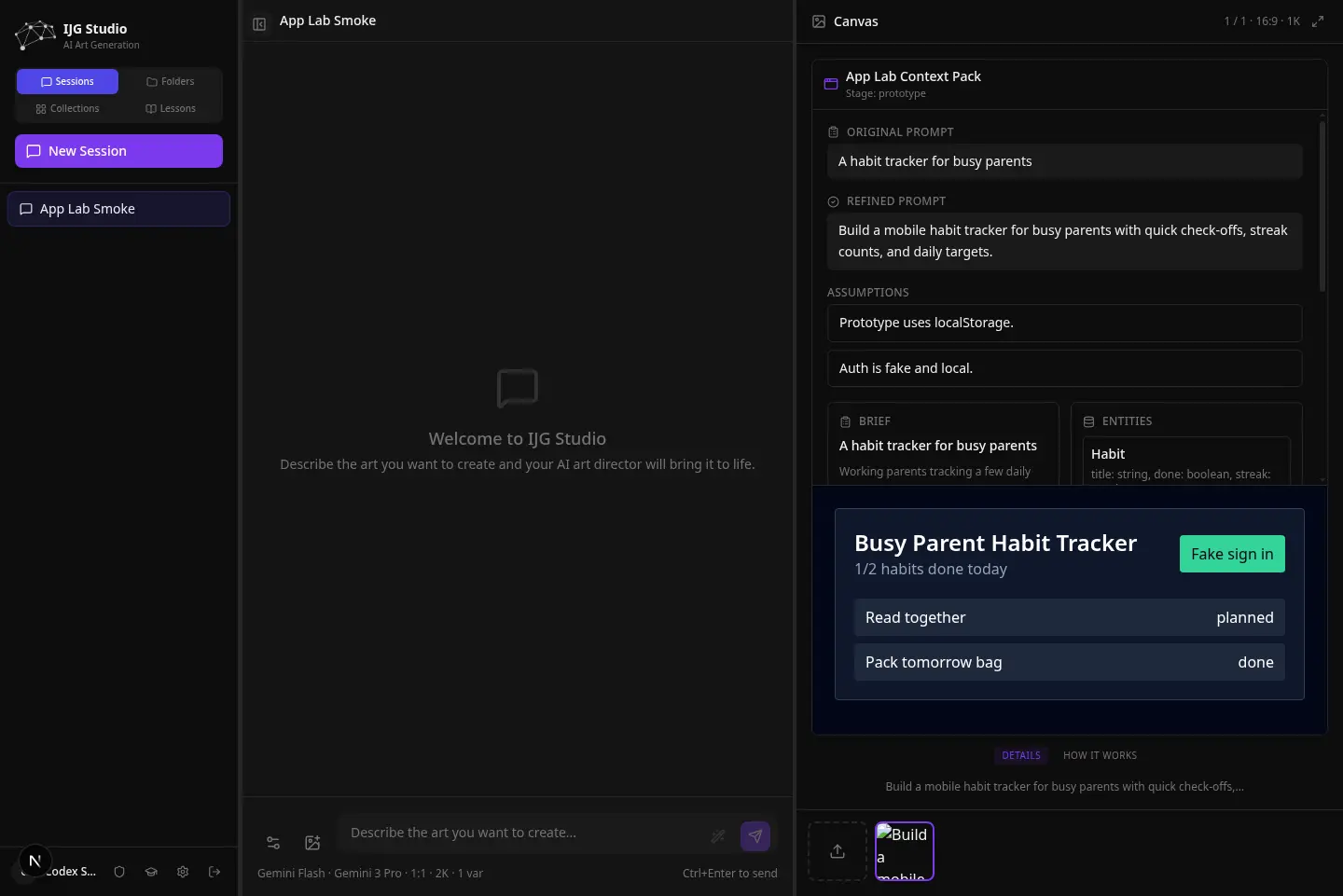
App Lab
App Lab teaches application design by making the hidden structure of a program visible before any code is written. It forces specification before building — the discipline novice builders most often skip.
- Shape
The student turns a vague idea into a clear brief. The tutor scores how well-specified the idea is across audience, data, surfaces, interactions, and constraints, and names the weakest part to work on next.
- Map
Before code, the student lays out the data the app holds, the screens it has, and the flows a user moves through.
- Prototype
The studio generates a single, self-contained, working prototype the student can run immediately — readable and annotated for learning, not production software.
- Inspect
The student reads the result as a set of conceptual files — the data, the interface, the sign-in — so the parts of a program become legible rather than a wall of code.
- Iterate and hand off
The student revises in plain language and ends with a brief they can carry into a real build. Each stage is recorded so the thinking, not just the output, is preserved.
12
Storyboards and projects
Beyond single-artifact lessons, a storyboard is a student's project workspace — a place to take an idea from a loose brainstorm to a larger, multi-part piece, and to present it. It is where bigger work is developed and rehearsed before it is shared.
- Brainstorm
A student starts in a scratchpad and talks an idea through with the tutor, which shapes it into a structured outline as the conversation goes — always leaving room for the student's own direction rather than dictating one.
- Scaffold the project
The outline becomes an ordered set of panels, one per beat. The student fills each with real work — an image, a video, a 3D form, a sketch, sound, or writing — building a project larger than any single lesson artifact.
- Mixed media, live
Panels can each be a different medium, and 3D and code panels run live rather than appearing as flat thumbnails, so the project behaves as it really would.
- Scenes
Panels group into named scenes, giving a longer project a structure the student can reason about and reorder.
- Soundtrack
An optional ambient music bed can play under the project during presentation.
- Present mode
A full-surface presenter plays the project with narration, auto-advance, and loop — for showing finished work in class, not just scrolling a page.
This is the develop-and-share arc: a student builds and presents a project as a storyboard, then publishes selected work to the class gallery. The platform carries a project from first idea to public exhibition without leaving the canvas.
13
Student showcase
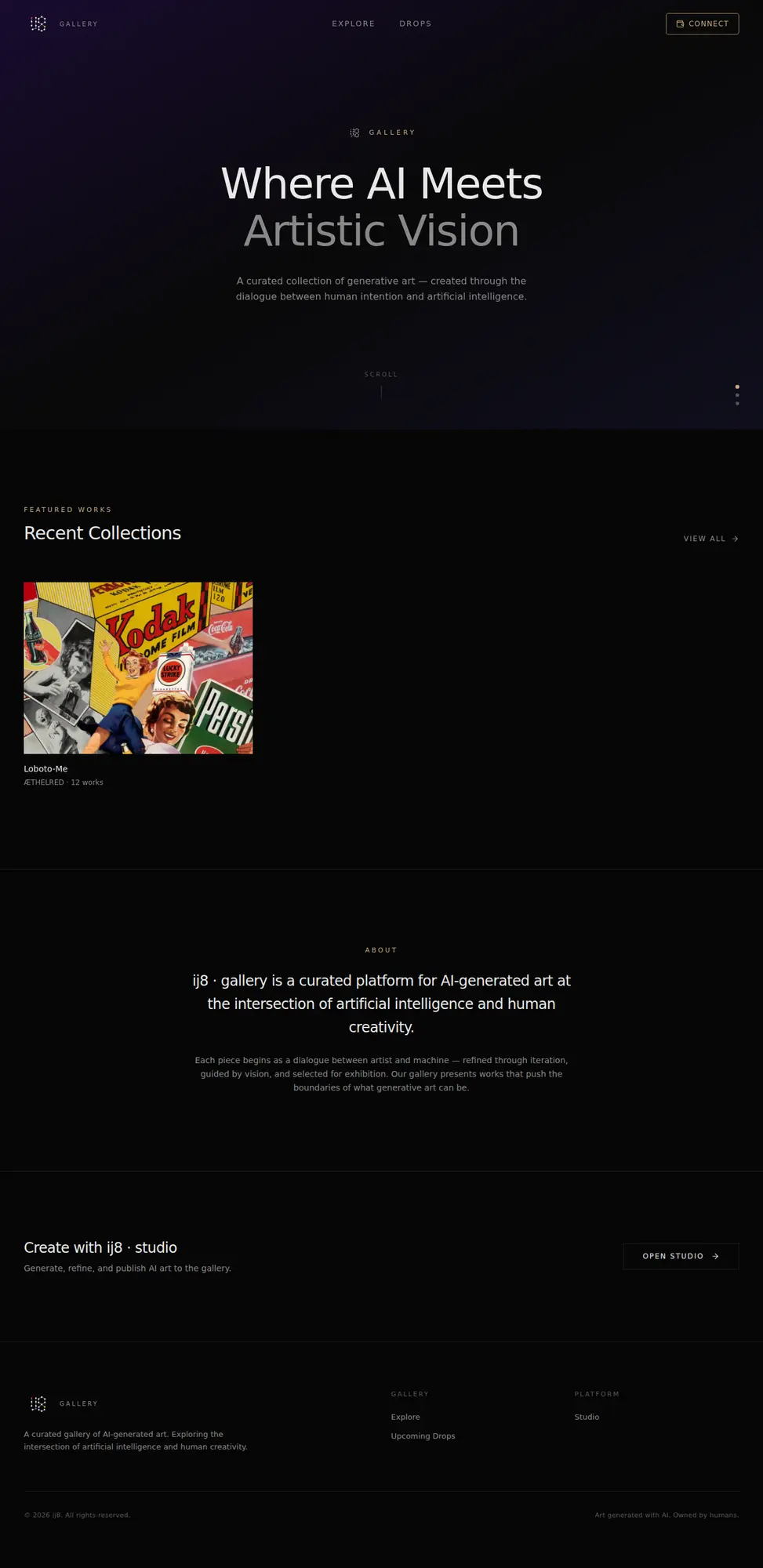
The showcase is a public gallery of student work that the teacher curates — a class exhibition, separate from the studio's commercial gallery. Public critique and exhibition are how studios have always taught. Finished lessons and storyboard projects are what students publish here.
From the canvas, a student submits selected pieces to a class gallery for the courses they are enrolled in. Students can also withdraw a submission at any time — removal takes it out of the gallery without touching the original work. A Class gallery button inside the lesson view opens the cohort's gallery directly.
The teacher approves or declines each submission and chooses whether it stays visible to the class only or goes fully public — the curation is the crit. A gallery can also be set to auto-approve, publishing new submissions immediately — review-first or trust-first is the teacher's call per gallery.
Approved, public work appears on a dedicated reader at showcase.ij8.ai, grouped into scenes the teacher arranges. Each class gallery lives at its own instructor-shared address.
Code sketches appear in the grid as still poster frames captured from the running sketch, and play live on click — so a gallery of forty sketches loads like a gallery, and each piece still behaves as it really does. Renders are seeded deterministically, so a piece looks the same on every visit and every device.
The showcase is classroom-shaped — cohort identity, teacher curation, no wallet or sale. It is a different surface from the ij8 NFT gallery.
Public pieces show an opt-in author credit only; a student's account name is never published.
14
How a class runs
Ordinary classroom work, mapped onto the studio: author, enroll, make, coach, score, advance, submit, curate, report.
- Author the course
The teacher brings a syllabus or a description and drafts a lesson sequence in the course wizard or the author workspace.
- Shape the lessons
Each lesson's media, goals, framework, difficulty, time limit, and mastery bar are reviewed and set before publishing; concept tutorials are interleaved between lessons where they help.
- Publish and invite
Publishing generates a join code; students on the roster are enrolled automatically.
- Students arrive
Pre-assigned students land in the right classes on first sign-in, already enrolled.
- Start a lesson
A student opens a lesson and resumes their latest attempt or starts fresh, greeted by the tutor's opening prompt.
- Make in the canvas
The student works using only the lesson's allowed media, coached by the tutor within the instructor's guidance.
- Score and advance
The rubric updates live as the student works. The mastery bar is the goal in view; the student opens the next lesson when they are ready, and the instructor sees every attempt and score.
- Submit the work
The student submits, producing a shareable public link to the finished piece and its score.
- Curate the showcase
Students submit pieces to the class gallery; the teacher approves and sets class-only or public visibility.
- Review the class
The teacher reads the progress report, exports a spreadsheet, and leaves comments on individual attempts.
15
Roadmap
Each item is marked by its current state: shipping, rolling out, in progress, or not yet built.
| State | Item | Notes |
|---|---|---|
| Shipping | Guided tutorials | Fifty official Explain → Show → Play → Make tutorials with vetted live-canvas illustrations; ungraded, self-serve, searchable. |
| Shipping | Instructor-authored tutorials | Scaffold wizard, AI co-authoring with apply-to-accept proposals, illustration review with accept-to-freeze, Commons sharing, course attachment. |
| Shipping | Course authoring | Course wizard, AI-drafted lessons, syllabus import, lesson editing, clone, archive, and publishing. |
| Shipping | Lessons + attempts | Lesson setup, start and resume, restart, pause and resume, timed sessions, progression, and a shareable submission. |
| Shipping | Scoring | A five-dimension rubric, fair treatment of code and non-code work, artifact-aware judging, and a live score view. |
| Shipping | Classes + access | Roles, class rosters, per-class capability grants, compute access, and roster pre-assignment. |
| Shipping | Commons | Browse and adopt courses and tutorials other teachers have published. |
| Shipping | Reports + export | A class progress summary, spreadsheet export, an AI-written narrative, and per-attempt comments. |
| Shipping | App Lab | Shape, Map, Prototype, Inspect, Iterate, and Handoff stages for teaching application design. |
| Shipping | Student showcase | Submission, teacher curation (review-first or auto-approve), still-frame posters with live playback, opt-in author credit, student-controlled withdrawal, and a public reader. |
| In progress | Cancelling long jobs | 3D generation jobs are cancelable mid-pipeline with per-stage timeouts; the same treatment for video and other long jobs is in progress. |
| Not yet built | LMS / grade passback | No direct LMS or grade-passback link. Work is shared through a public link rather than a gradebook sync. |
| Planned | Writing as a medium | Text lessons support structured brainstorming today; narrative, fiction, and poetry modes are visible in the product but not yet enabled. A dedicated computational-writing toolset is planned. |
16
What educators shape
The classroom layer works today, but the open questions are pedagogical as much as technical, and a founding cohort of instructors is invited to settle them.
The decisions that matter are specific: how much scaffolding to build into a lesson before the canvas stops feeling open; where peer visibility belongs, and whether it should be class-only, public, or link-gated; whether an LMS and grade passback are worth the institutional cost; how far instructor-authored tutorials should go — shared arcs, departmental libraries, or a public exchange; how class analytics should grow beyond today's progress rollup; and how App Lab should reveal structure without turning every assignment into a software-engineering exercise. These are questions about teaching, and they are better answered with working educators than for them. Institutions ready to put that to work — a higher-education studio pilot, a CTE pathway, or a grant-backed implementation — can start at pilots.ij8.ai.
17
Technical appendix
For technical reviewers: the tables, routes, components, and models behind the classroom layer. Educators can skip this; it is a reference index, not part of the narrative.
| Layer | Technology / path | Status / use |
|---|---|---|
| Models | GEMINI_CHAT_MODEL default gemini-3.5-flash; SCAFFOLD_MODEL; GEMINI_JUDGE_MODEL default gemini-3.1-flash-lite; GEMINI_CODE_MODEL default gemini-3.5-flash; OPENAI_CODE_MODEL default gpt-5.4 | Lesson tutor, course scaffolding, judge and reports, App Lab prototype generation. |
| Tables | courses, lessons, lesson_sessions, cohorts, cohort_memberships, course_deployments, course_enrollments, course_comments, allowed_emails, allowed_email_cohorts, invites, collections, collection_items, tutorials, tutorial_illustrations, tutorial_sessions, course_tutorials | Core classroom and showcase data model. 36 tables total. |
| Course routes | /api/courses, /api/courses/[id], /api/courses/[id]/clone, /api/courses/[id]/archive, /api/courses/[id]/publish, /api/courses/[id]/curriculum (merged ordered lessons+tutorials), /api/courses/[id]/tutorials, /api/courses/[id]/messages, /api/courses/scaffold, /api/courses/scaffold/finalize, /api/courses/syllabus/parse, /api/courses/syllabus/brainstorm, /api/courses/syllabus/summarize | Authoring, publishing, syllabus ingestion, messaging, course composition, and AI scaffold. |
| Lesson routes | /api/lessons/[slug]/start, /api/lessons/sessions/[id]/score, /api/lessons/sessions/[id]/next, /api/lessons/sessions/[id]/restart, /api/lessons/sessions/[id]/pause, /api/lessons/sessions/[id]/resume, /api/lessons/sessions/[id]/submit, /api/lessons/sessions/[id]/comments, /api/lessons/sessions/[id]/concept-responses, /api/lessons/by-chat/[chatSessionId], /share/lesson/[token] | Student runtime, progression, score, timer, comments, concept responses, and submission handoff. |
| Commons | /api/commons/courses, /api/commons/courses/[id], /api/commons/tutorials, CommonsBrowser | Shared course and tutorial pool. |
| Tutorials | /api/tutorials, /api/tutorials/library, /api/tutorials/scaffold (+finalize), /api/tutorials/[slug] (+/start, /author-session, /illustrate, /clone), /api/commons/tutorials, seed-tutorials.ts (50 official), illustration-agent.ts + verify-refine.ts + illustration-heartbeat.ts, archetypes (mapping-diagram, step-builder, param-explorer, live-animated), TutorialsDashboard, TutorialWizardModal, TutorialAuthorWorkspace, TutorialPhaseBar | Tutorial runtime, instructor authoring, Commons sharing, course composition. |
| Reports | /api/courses/[id]/report, /api/courses/[id]/report.csv, summarizeReport, generateCourseNarrative, rowsToCsv | Assessment summary and export. |
| App Lab | context-pack.ts, shape.ts, map.ts, prototype-generator.ts, inspect.ts, virtual-files.ts, detect-underspecification.ts, stage-selection.ts | Teaching application design through staged context and prototype generation. |
| Showcase | apps/showcase, /api/showcase/available, /api/showcase/[id]/submit, /api/showcase/[id]/submissions, /api/showcase/[id]/items/[imageId], /api/showcase/public/[slug], /api/sketches/[id]/wrapped, /api/sketches/[id]/poster, showcaseAutoApprove, ShowcaseCuration | Class-gallery submission, curation, trust mode, poster frames, and public reader. |
| Components | CourseWizardModal, CourseAuthorWorkspace, CoursesDashboard, TeacherPanel, ShowcaseCuration, LessonScoreHud, LearnPanel, GistPane, HowItWorksPane, BrainstormScratchpad, StudentsMatrix | Teacher and student-facing classroom surfaces. |
| Static site | Self-hosted InterVariable.woff2, local images, local script.js, no tracking, no external scripts. | Single-page static output for classroom.ij8.ai. Last rendered . |